Example: Ada Lindqvist
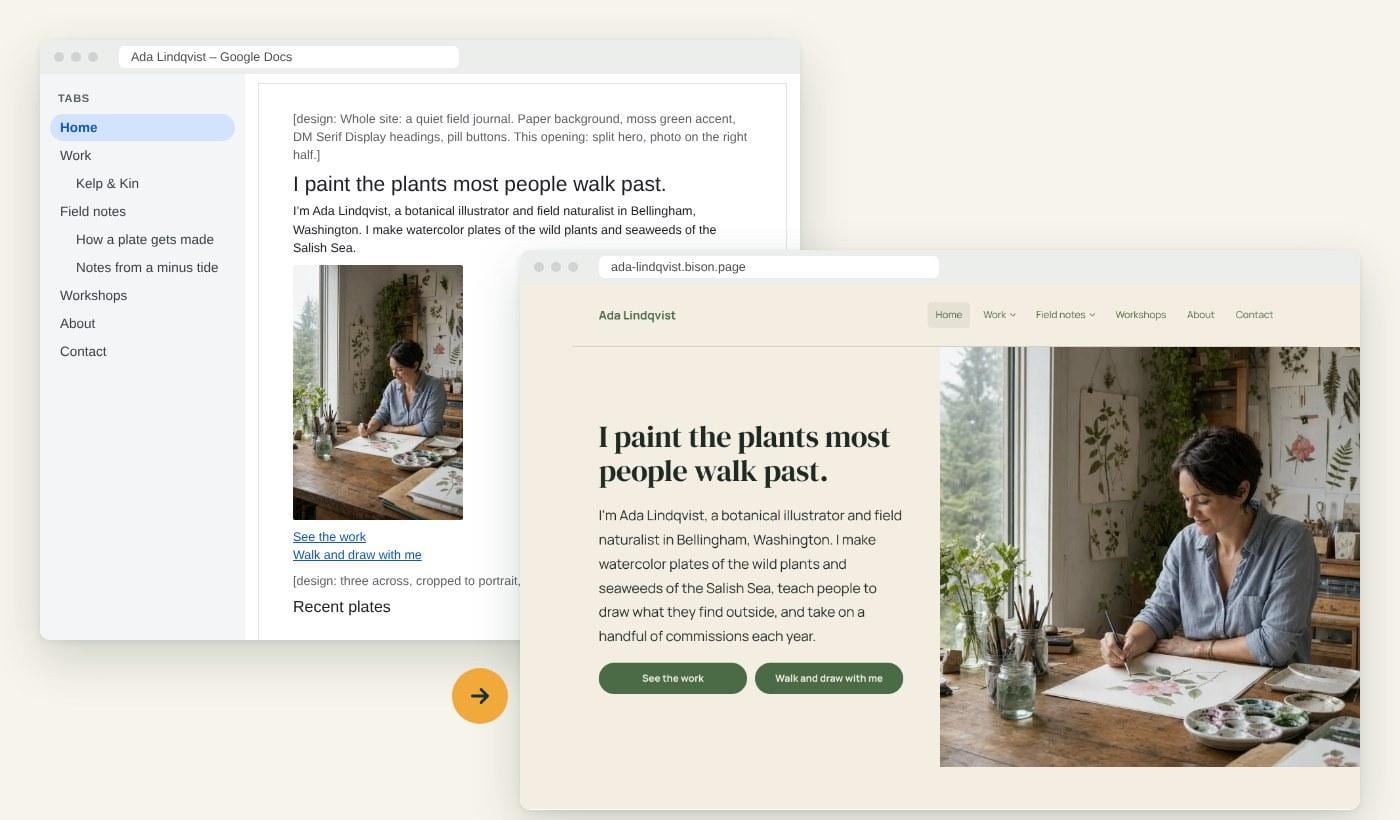
A made-up illustrator's site, written as a plain Doc: headings, photos, lists and a few notes in brackets about the look. Not a single table.

Change a date, add a photo, or update your bio in Google Docs. Preview the change in PageBison and publish when you're ready.
Free for up to 3 sites, no card needed.
Both are made-up examples you can open without signing in. Put a Doc next to its site to see exactly what was typed. This website is a Google Doc too: see the Doc behind it.
A made-up illustrator's site, written as a plain Doc: headings, photos, lists and a few notes in brackets about the look. Not a single table.
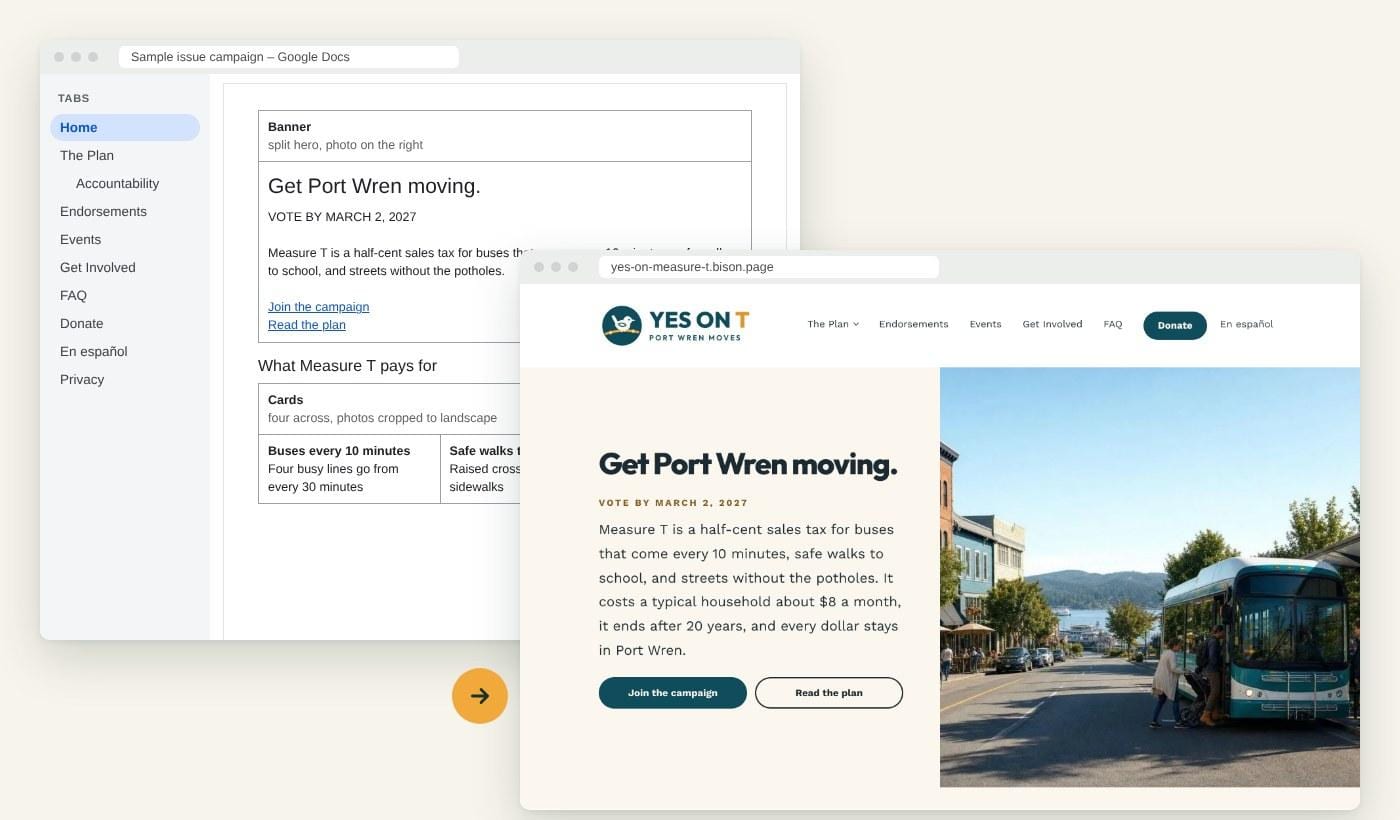
A made-up ballot measure campaign from one Doc, with a tab for each page: the plan, endorsements, events, volunteer and RSVP forms, Donate and a Spanish page.
Building a website takes an afternoon. Keeping it right takes every week after: the hours change, the meeting moves, a new name joins the board. With PageBison, that's a change in a Google Doc.
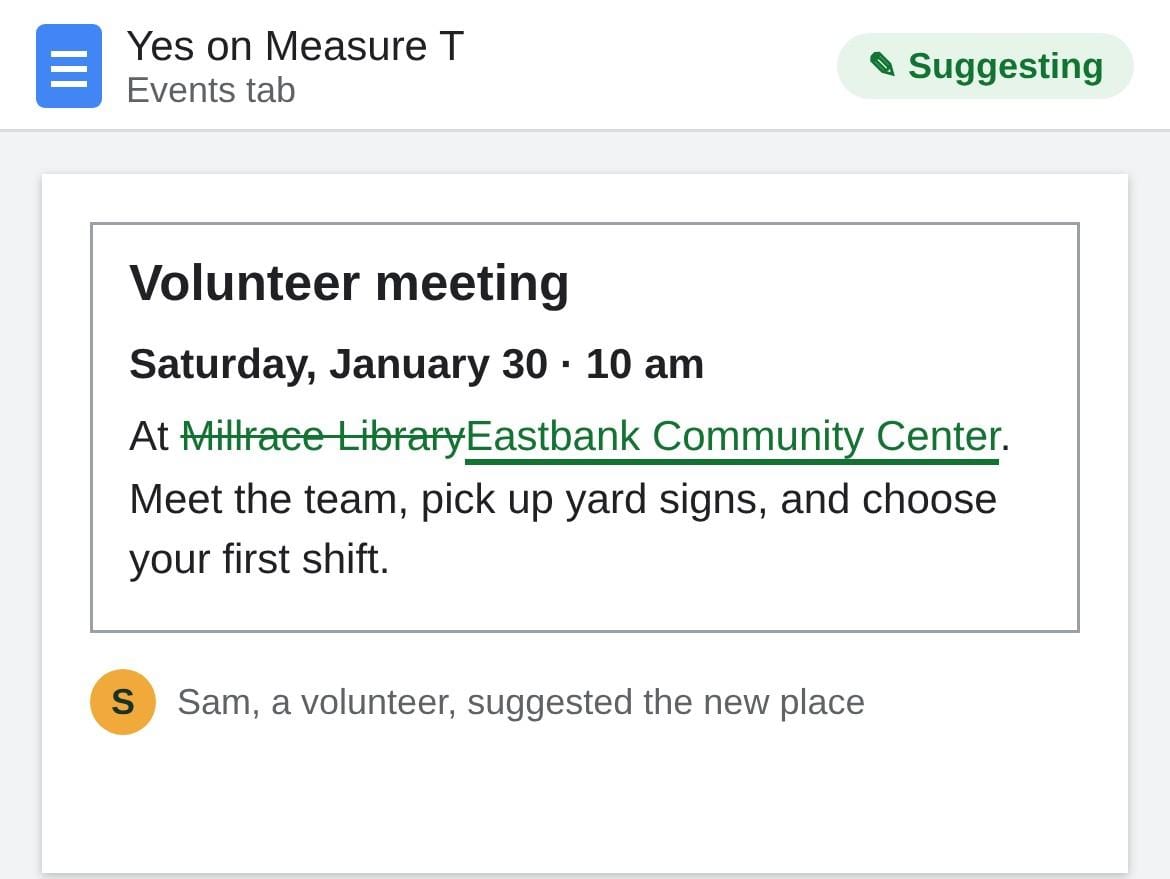
Anyone you share the campaign's Google Doc with can change “Millrace Library” to “Eastbank Community Center,” or suggest it for you to accept.
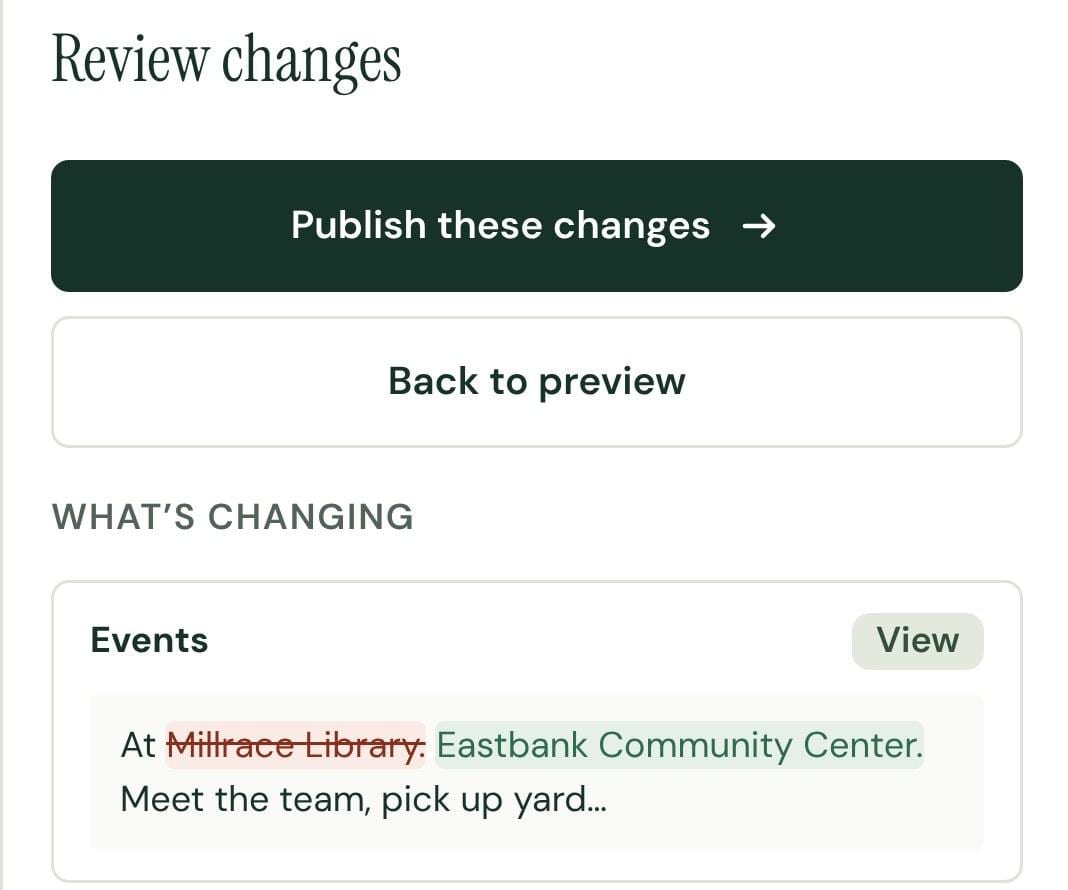
Signed in to PageBison, you update the preview and see exactly what changed. Your live site stays as it was.
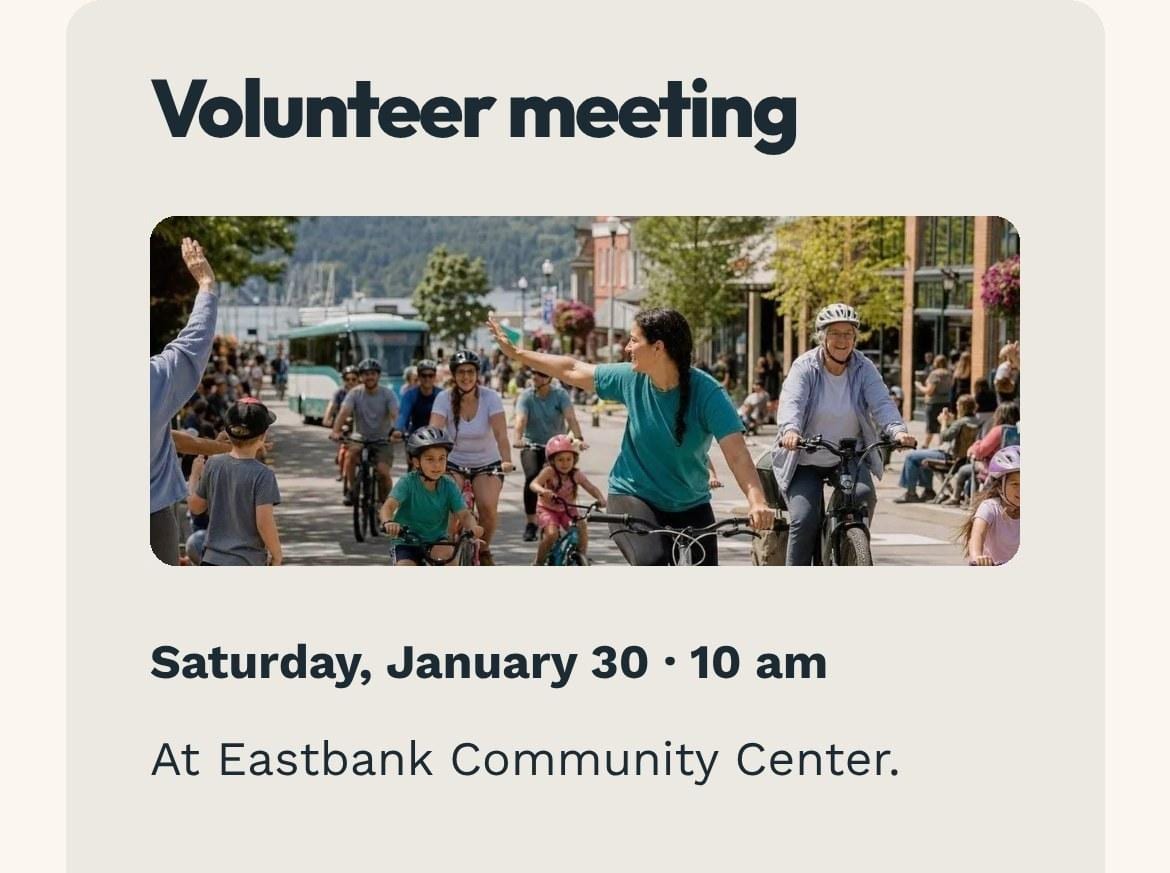
When it looks right, publish, and supporters see the new place on their phones. Changed your mind? Put the earlier version back.
Anyone on the Doc can write and suggest. Only the site's owner, signed in to PageBison, decides when a change goes live.
Building sites for clients? See PageBison for agencies. Curious about the mechanics? Here's how a Google Doc becomes a website.
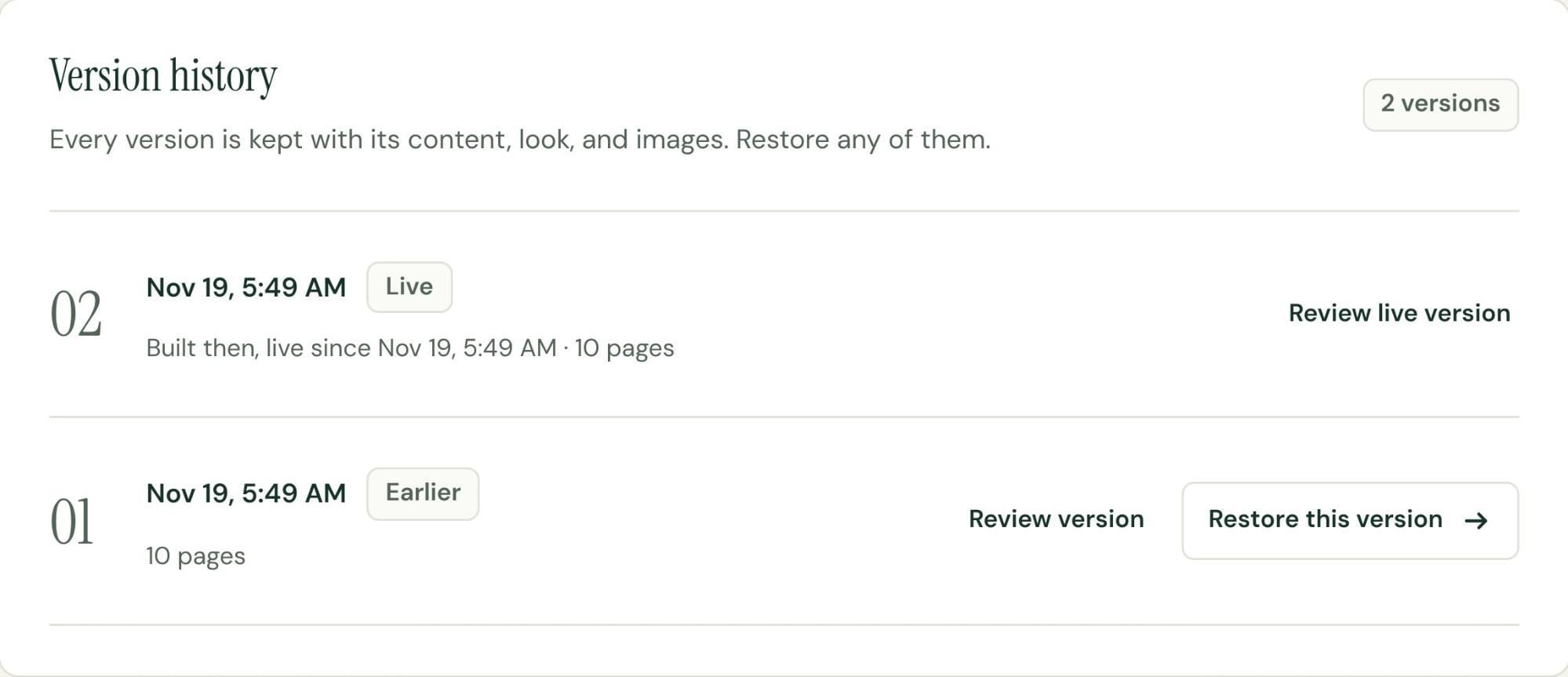
Every version you publish is saved. Open Version history, pick an earlier one and choose Restore this version, and it's live again in a moment, with nothing to rebuild.
Questions? Email support@pagebison.com.
No. Write your content the way you would in any document, and PageBison designs the site around it. To change something, ask in plain words, like “bigger headings” or “a warmer green,” or set your colors, fonts and logo yourself.
Anyone you share the Doc with can edit, comment or suggest changes, just as they do now. Only you, signed in to PageBison, can preview and publish.
Yes. Add a contact or sign-up form to any page. Messages are emailed to you and kept in PageBison, and you can download a sign-up list as a spreadsheet anytime.
They can read every word, and each page gets its own web address and a title from your Doc. Where a page ranks is up to each search engine, Google included.
Only the Docs you choose or share with it. It can't open the rest of your Drive.
Yes, behind the scenes: it arranges your Doc into a designed site and carries out the changes you ask for in plain words. It never changes your words on its own, and if you ask it to write something, you see a draft before anything goes into your Doc. Your Docs aren't used to train AI models. Our Privacy Policy has the details.
Your words live in your own Google Doc, not in our database, so they stay with you on any plan. From Settings, also on any plan, you can download your whole site as files to host anywhere, with your form messages and sign-up lists as spreadsheets.
It's free on yourname.bison.page for up to 3 sites, with no time limit. The Site plan, $60 a year per site or $9 month to month, puts a site on your own domain without the PageBison link. Sales tax is added where it applies. Cancel anytime in Manage billing: the plan runs to the end of what you paid for, and your domain keeps working for 30 days after that. If you didn't mean to start a plan or renew a yearly one, email us within 14 days and we'll refund it in full.
Plenty for building and changing a site, and the Site plan includes more every month. Fixing words, syncing your Doc and publishing never count toward it.
It's free for up to 3 sites on bison.page, with no card needed, and $60 a year or $9 a month for a site on your own domain. Sign in with Google, then pick a Doc you already have, start a new one, or bring your current site.